Step-by-step instructions for completing a tax application for revocation using the modification method
15.01.2026 09:50:45 2833
Step-by-step instructions for completing a tax application for revocation using the modification method
- On the "my documents" page, copy the registration number of the tax statement that needs to be revoked.
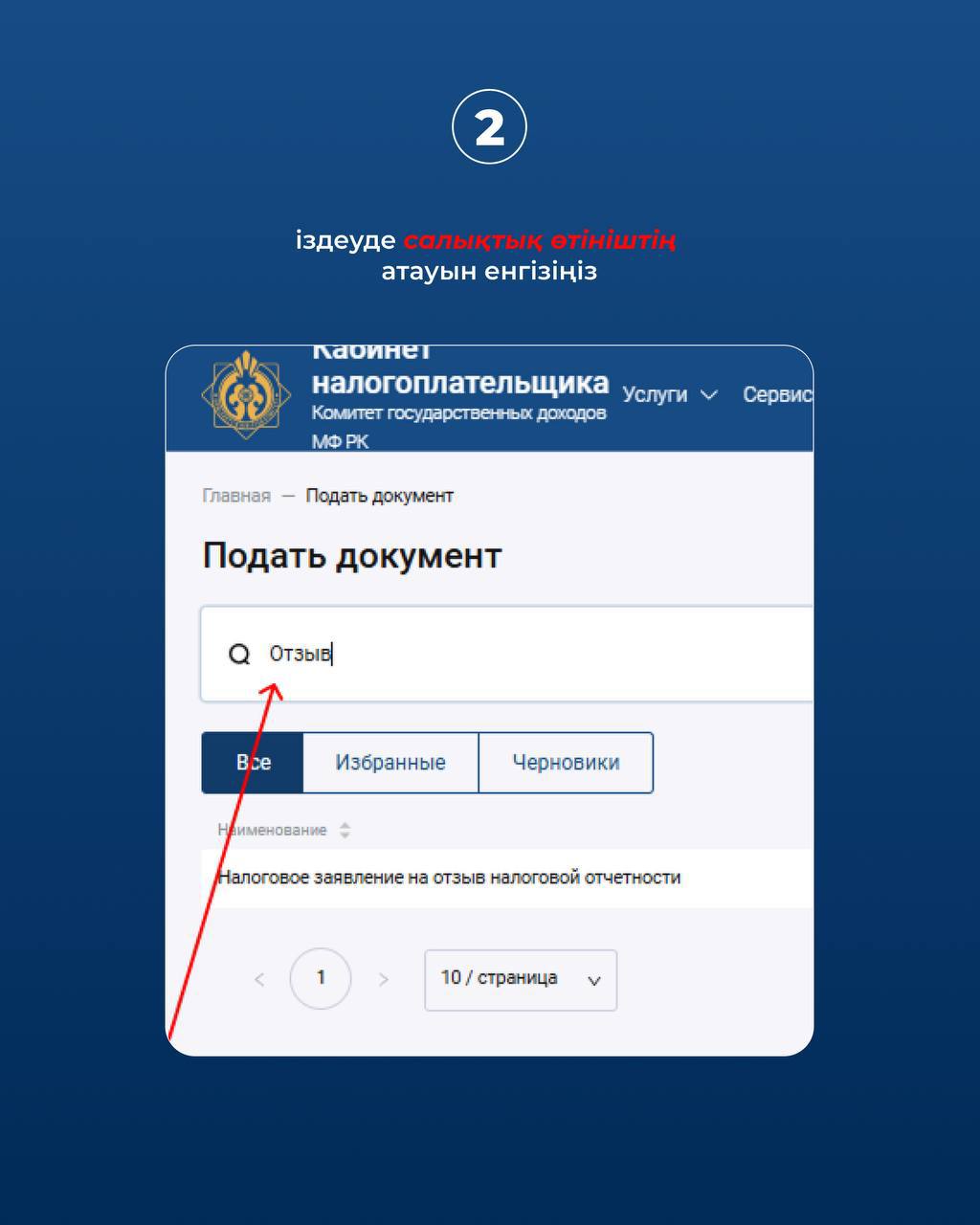
- Enter the name of the tax statement in the search box.
- Insert the registration number – the fields will be filled in automatically with data from the tax statements.
- Select the review by the method of modification and specify the reason for the review of the tax statement.
- Select new content.
- Click on "generate".
- Click on "sign and send".
- After processing, the status of the tax statement will change to "processed".
- The status of tax reports will also change, and new reports with changed parameters will be created.
Source : https://www.gov.kz/memleket/entities/kgd-mangistau/press/news/details/1141569?lang=kk