
Information for self-employed students
31.07.2026 18:51:41 1820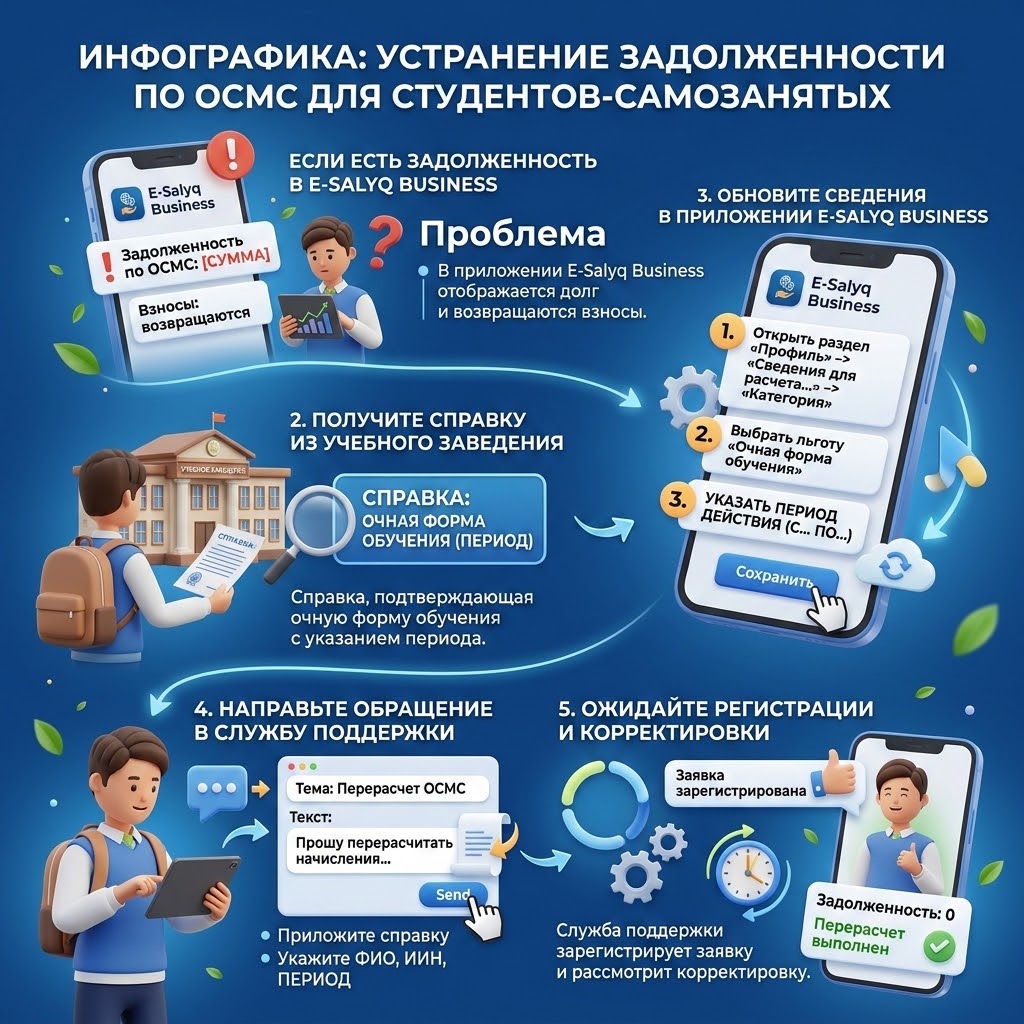
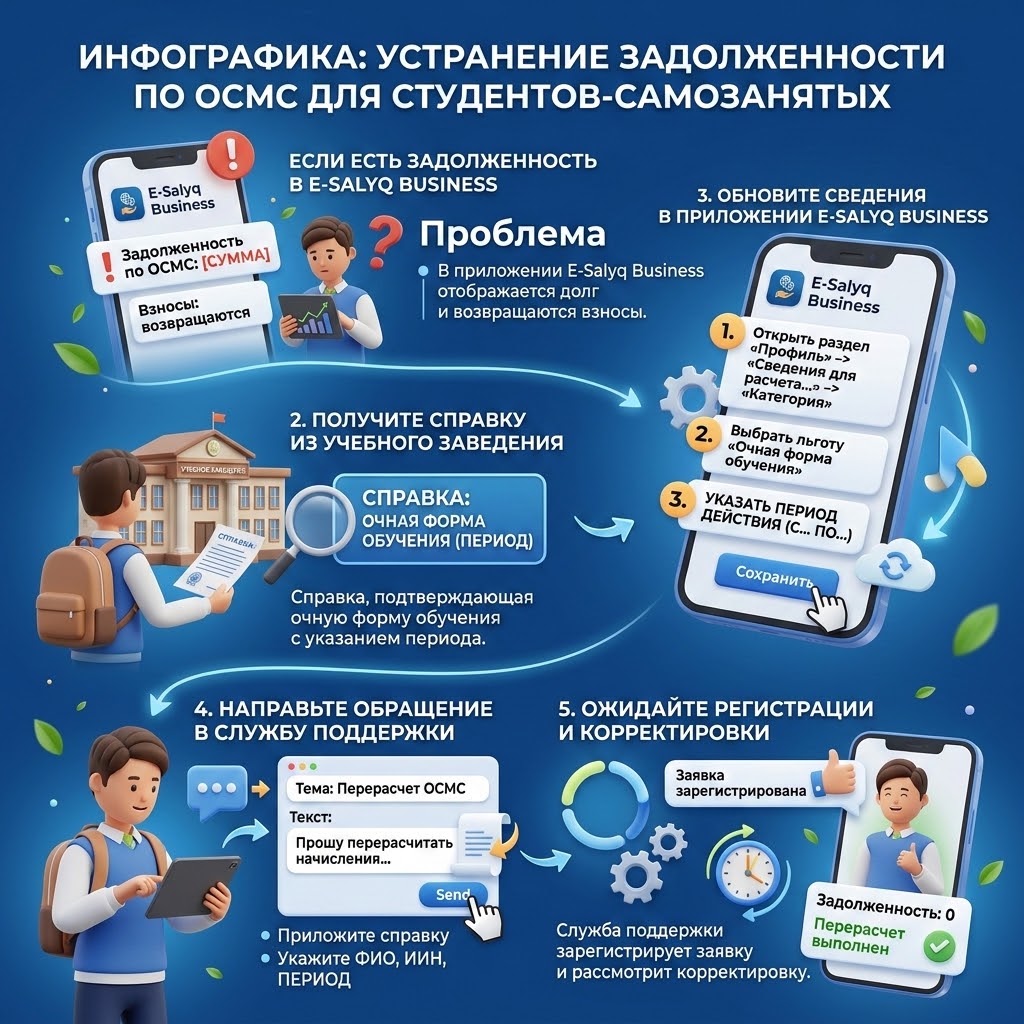
If a student applies a special tax regime for the self-employed and the E-Salyq Business mobile application displays the debt on the CSHI, while the paid contributions to the CSHI are refunded, it is necessary to update the information about the preferential category and contact the support service.
To do this, you should get a certificate from the educational institution confirming full-time education, indicating the period of study.
Then, in the E-Salyq Business application, open the section "Profile" → "Information for calculating taxes and social payments" → "Category", select the preferential category "full-time education" and be sure to specify the period of validity of the benefit ("from" and "to").
After that, the taxpayer needs to send an application to the support service, attaching a certificate from the educational institution and asking to recalculate the accrued social payments, taking into account the preferential category "student" for the relevant period. It is recommended that you specify your full name, IIN, and the period for which recalculation is required.
After receiving the letter, the support service will register the application and consider the issue of adjusting the charges.
Source : https://www.gov.kz/memleket/entities/kgd-zko/press/news/details/1266983?lang=ru